

Description
Download Tenorshare iPhone Data Recovery – iPhone data recovery, lost data recovery, iOS data recovery, iPhone backup recovery, recover deleted photos
Overview
Tenorshare iPhone Data Recovery is designed to restore lost or deleted data from iOS devices such as iPhones, iPads, and iPods. The software targets users who have accidentally deleted photos, messages, contacts, or other critical information and need a reliable recovery solution. It is particularly useful for individuals and professionals managing personal or business data on Apple devices who rely on quick, secure recovery without requiring technical expertise.
The software operates by scanning the device's internal storage or associated backups to retrieve lost files. This makes it suitable for scenarios such as accidental deletion, system crashes, or failed iOS updates. While the developer, Tenorshare, is known in the data recovery space, specific company details were not included in the provided information.
Real-world usage includes recovering family photos after a mistaken deletion, retrieving important business messages from a work iPhone, or restoring data after a device reset. The tool aims to provide a straightforward path to data restoration, minimizing downtime and data loss anxiety.
Key Features & Capabilities
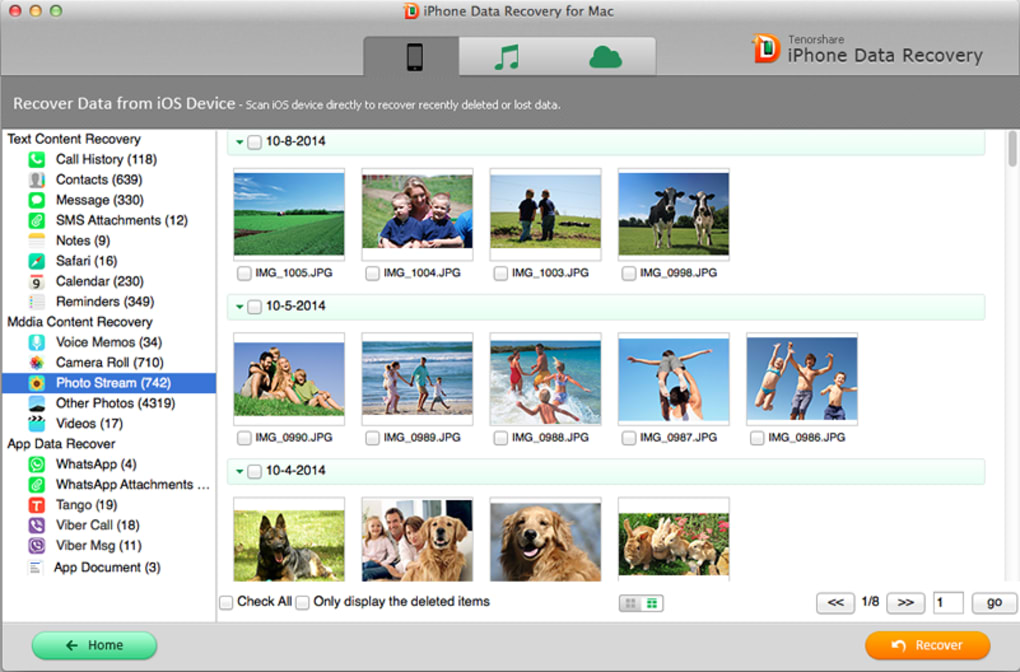
- Recovery from iOS Devices: Directly scans iPhones, iPads, and iPods to recover deleted files such as photos, videos, messages, contacts, and call logs.
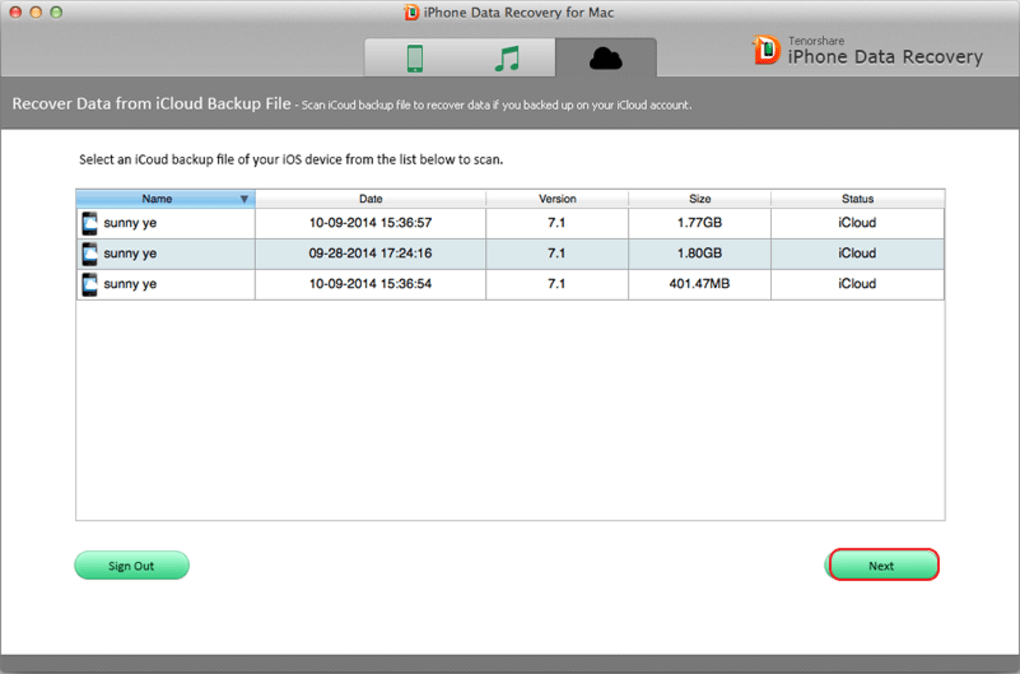
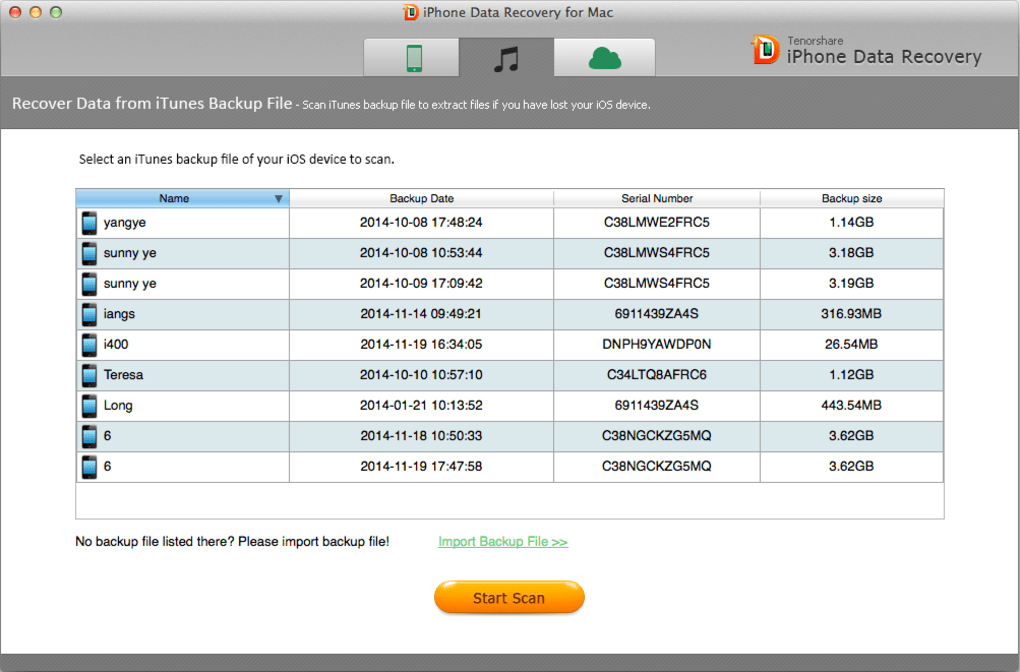
- Backup Recovery Mode: Extracts data from iTunes and iCloud backups, enabling recovery even if the original device is unavailable or damaged.
- Advanced Scanning Technology: Uses deep scanning algorithms to locate and restore files that are no longer visible in the device’s file system.
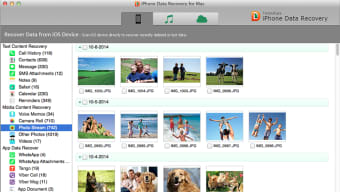
- Preview Before Recovery: Allows users to preview recovered data before restoring, ensuring only desired files are retrieved.
- Safe and Secure Process: Operates without modifying original data, ensuring the recovery process does not compromise device integrity.
For example, a user who deleted a folder of vacation photos can use the software to scan the device and recover them without needing a prior backup. Similarly, someone who lost messages after a system update can restore them from an iCloud backup using the tool’s backup recovery feature. The ability to preview files before restoration reduces the risk of recovering unwanted data.
User Interface, Workflow & Performance
The user interface of Tenorshare iPhone Data Recovery is structured to guide users through the recovery process with clear navigation and step-by-step prompts. The main dashboard presents options for direct device scanning and backup recovery, making the workflow intuitive for both novice and experienced users.
Navigation is straightforward, with labeled buttons and progress indicators that help users track the scan and recovery stages. The software supports a linear workflow: connect device → select recovery mode → scan → preview → restore. This reduces the chance of user error and streamlines the recovery process.
Performance observations are based on general software behavior patterns. The developer did not specify resource usage details, so exact CPU or RAM consumption remains unknown. Stability during scans is expected to be consistent, given the tool’s focus on non-invasive data access. However, actual performance may vary depending on device condition, data volume, and connection speed.
Compatibility & System Requirements
Tenorshare iPhone Data Recovery is compatible with both Windows and Mac operating systems, supporting a wide range of desktop environments. The software version is 10.0.0.1, and the installation size is 200 MB, indicating a lightweight footprint suitable for most modern computers.
Exact system requirements were not listed. The developer did not provide additional system requirements, so users should ensure their system meets general standards for running desktop applications. Compatibility with specific iOS versions or device models was not specified, but the software is designed to work with current Apple devices.
Users should verify that their computer meets basic system standards for running third-party software, especially when connecting iOS devices via USB. For optimal performance, a stable USB connection and updated device drivers are recommended, though not explicitly stated.
Pros and Cons
Pros
- Supports direct device and backup recovery for iOS devices.
- Offers file preview functionality before restoration.
- Non-invasive recovery process preserves original data integrity.
- Available for both Windows and Mac platforms.
- Designed for users without technical expertise.
Cons
- Exact system requirements were not provided.
- Performance metrics such as CPU or RAM usage were not specified.
- Price point may be high for casual users.
- Limited information on supported iOS versions and device models.
- Requires a physical connection to the device for direct recovery.
FAQ Section
Is Tenorshare iPhone Data Recovery compatible with my Mac?
Yes, the software is compatible with Mac operating systems. It supports both Windows and Mac platforms, allowing users on either system to recover data from iOS devices.
Can I recover data without a backup?
Yes, the software can recover data directly from the iPhone, iPad, or iPod if the files have not been overwritten. It uses deep scanning to locate deleted files still present in the device’s storage.
Is the recovery process safe for my device?
Yes, the software operates in a non-invasive manner, meaning it does not alter or damage the original data. It reads data from the device without modifying the file system.
How often should I update the software?
It is recommended to use the latest version to ensure compatibility with new iOS updates and devices. The current version is 10.0.0.1, and updates are typically released to address compatibility and performance improvements.
Does the software require an internet connection?
While the software does not require a constant internet connection for recovery, certain features such as iCloud backup access may need an active connection. Offline usage is possible for direct device scans.
Final Thoughts + CTA
Tenorshare iPhone Data Recovery offers a focused, reliable solution for users seeking to recover lost data from Apple devices. Its dual recovery mode—direct device scanning and backup restoration—makes it a versatile tool for both immediate and post-failure recovery scenarios. The intuitive interface and safe, non-destructive process ensure accessibility for non-technical users.
While some technical details such as system requirements and performance metrics are not available, the software’s broad compatibility with Windows and Mac, along with its proven recovery capabilities, makes it a strong choice for individuals and professionals alike. The $69.95 price point reflects its specialized functionality, though it may be considered steep for occasional users.
For anyone facing data loss on an iPhone, iPad, or iPod, this tool provides a structured, secure path to recovery. Download Tenorshare iPhone Data Recovery now to restore your valuable data with confidence.
Guides & Tutorials for Tenorshare iPhone Data Recovery
How to install Tenorshare iPhone Data Recovery
- Click the Preview / Download button above.
- Once redirected, accept the terms and click Install.
- Wait for the Tenorshare iPhone Data Recovery download to finish on your device.
How to use Tenorshare iPhone Data Recovery
This software is primarily used for its core features described above. Open the app after installation to explore its capabilities.
User Reviews for Tenorshare iPhone Data Recovery 0
No reviews found





.webp)